docker
youtube
 Give your agents a dedicated environment with Docker Sandboxes. This environment is a "microVM" which means you can treat it as a disposable mini computer that runs on your normal computer or server.
But wait, how is this different than Docker Containers? Each sandbox gets its own Docker daemon. In other words, sandboxes can _build_ container images for you (container images don't usually pull this kind of inception-level skill). Sandboxes are still based in containers but work more like a virtual machine offering better isolation and different networking policies.
This means your AI agents can build containers, install packages, and modify files without touching your host system.
And yup, you can use Claude Code with your subscription. Codex too. And even spin up Ollama for full open-source models. Sandboxes are fully customizable just like containers.
In this series, I'll show you how to:
- Install & Run Docker Sandboxes
- Setup Claude Code on Docker Sandboxes
- Setup Codex on Docker Sandboxes
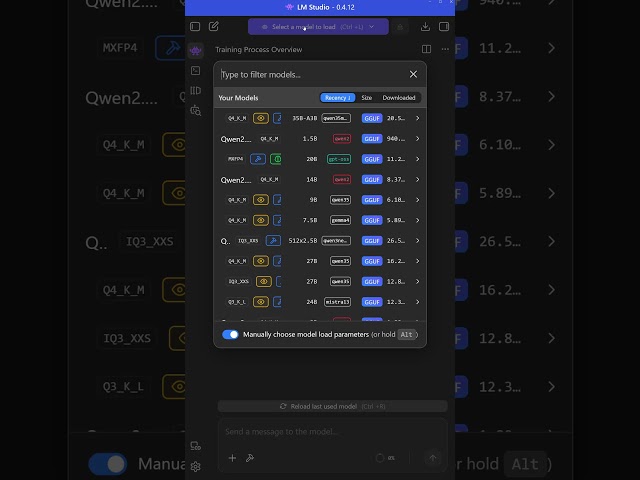
- Setup Ollama and Qwen 2.5 with OpenCode
- Build a custom Sandbox
- Git Worktrees with Docker Sandboxes
- Read-only mode for attaching folders
- And more
It's easy and ready to use right now.
Here are some key references:
🔗 Custom Sandbox Code:
🔗 Official Docs:
Be sure to subscribe for more:
Chapters:
00:00:00 Welcome
00:02:04 Installing Docker Sandboxes CLI on macOS
00:05:25 Your first Agent Sandbox with Claude Code
00:11:24 Your first Agent Sandbox with OpenAI Code
Give your agents a dedicated environment with Docker Sandboxes. This environment is a "microVM" which means you can treat it as a disposable mini computer that runs on your normal computer or server.
But wait, how is this different than Docker Containers? Each sandbox gets its own Docker daemon. In other words, sandboxes can _build_ container images for you (container images don't usually pull this kind of inception-level skill). Sandboxes are still based in containers but work more like a virtual machine offering better isolation and different networking policies.
This means your AI agents can build containers, install packages, and modify files without touching your host system.
And yup, you can use Claude Code with your subscription. Codex too. And even spin up Ollama for full open-source models. Sandboxes are fully customizable just like containers.
In this series, I'll show you how to:
- Install & Run Docker Sandboxes
- Setup Claude Code on Docker Sandboxes
- Setup Codex on Docker Sandboxes
- Setup Ollama and Qwen 2.5 with OpenCode
- Build a custom Sandbox
- Git Worktrees with Docker Sandboxes
- Read-only mode for attaching folders
- And more
It's easy and ready to use right now.
Here are some key references:
🔗 Custom Sandbox Code:
🔗 Official Docs:
Be sure to subscribe for more:
Chapters:
00:00:00 Welcome
00:02:04 Installing Docker Sandboxes CLI on macOS
00:05:25 Your first Agent Sandbox with Claude Code
00:11:24 Your first Agent Sandbox with OpenAI Code
|
2026/05/22
youtube